Hello. How can we help you?
Download the Forms Statistics
The client admin can download the statistical summary of all the forms of a program in the “Dashboard Reports” module on the computer for reference.
To Download the Forms Statistics:
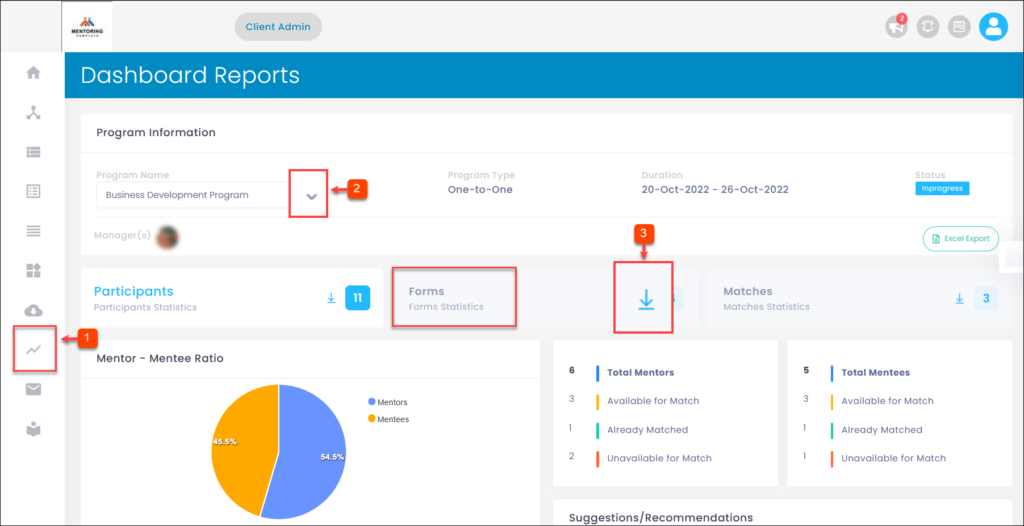
Step 1: Navigate to Dashboard Reports.
Step 2: Click the drop-down menu to select a program.
Step 3: In the “Forms” field, click Download Icon.